A VPN is a tool that creates a secure and encrypted connection between your device and the internet. It hides your real IP address and replaces it with a virtual one from another location. This makes your online activity more private and secure.
In the USA, internet users face issues like data tracking, targeted ads, and potential cyber threats. Many websites and services also collect user data, which can affect your privacy. A VPN helps solve these problems by encrypting your data and preventing third parties from monitoring your online behavior.
Another reason to use a VPN in the USA is to access geo-restricted content. Some streaming platforms, websites, or services may only be available in specific countries. With a VPN, you can connect to servers in different regions and access content from around the world.
Additionally, if you frequently use public Wi-Fi in places like cafes, airports, or hotels, a VPN becomes essential. Public networks are often not secure, making it easier for hackers to steal your personal information. A VPN adds an extra layer of protection, keeping your data safe.
Step-by-Step Guide to Using a VPN in the USA
Using a VPN is simple and does not require advanced technical knowledge. Follow these steps to get started:
1. Choose a Reliable VPN Service
The first step is selecting a trusted VPN provider. Look for features such as strong encryption, fast speed, multiple server locations, and a no-logs policy. Both free and paid VPNs are available, but paid services usually offer better security and performance.
2. Download and Install the VPN App
Once you choose a VPN, visit its official website or app store to download the application. Most VPNs support devices like smartphones, laptops, tablets, and even smart TVs. Install the app and create an account if required.
3. Log in to Your Account
After installation, open the VPN app and log in using your credentials. The interface is usually user-friendly, making it easy for beginners to navigate.
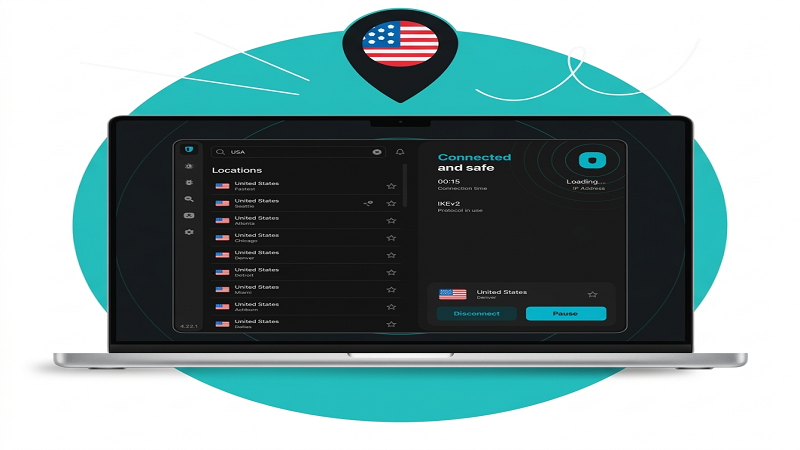
4. Connect to a Server
To use a VPN in the USA, you can either connect to a US server or choose a server from another country, depending on your needs. For example:
- Connect to a US server for local browsing with added security
- Connect to a UK or Canada server to access international content
Simply select the server and click the “Connect” button.
5. Start Browsing Securely
Once connected, your internet traffic is encrypted, and your IP address is hidden. You can now browse websites, stream content, or use apps safely and privately.
6. Turn On Additional Features (Optional)
Many VPNs offer extra features like kill switch, ad blocker, and split tunneling. Enabling these features can improve your security and browsing experience.
Tips for Better VPN Usage
To get the best experience while using a VPN in the USA, keep these tips in mind:
- Always choose a fast server to avoid slow internet speed
- Use a paid VPN for better privacy and reliability
- Keep your VPN app updated
- Avoid using unknown or unsafe free VPNs
- Disconnect and reconnect if you face connection issues
Conclusion
Using a VPN in the USA is a smart choice for anyone who values online privacy, security, and freedom. It protects your personal data, hides your identity, and allows you to access content without restrictions. By following simple steps like choosing a reliable VPN, installing the app, and connecting to a server, you can enjoy a safer and more flexible internet experience.
If you use the internet regularly for browsing, streaming, or work, a VPN is no longer optional—it is a necessity. Start using one today and take control of your online privacy.