
Introduction
In today’s digital world, internet speed is more important than ever. Whether you are working from home, attending online classes, gaming, or streaming, a slow browsing experience can be extremely frustrating.
If you are in the USA and looking for a fast, lightweight, and secure browser, you are in the right place. In this article, we will cover the top browsers of 2026, their pros, cons, and tips to boost your browsing speed for an optimal experience.
What Makes a Browser Fast?
A browser’s speed depends not only on the software but also on several other factors:
1. Lightweight vs Heavyweight Browsers
- Lightweight browsers consume less memory and perform better on low-end devices.
- Heavyweight browsers are feature-rich but use more RAM, which can slow down performance.
2. Cache Management
- Regularly clearing your browser cache improves speed.
- An overloaded cache can make pages slow to load.
3. Tab Handling
- Opening multiple tabs affects browser performance.
- High-performance browsers manage multiple tabs efficiently.
4. Extensions and Plugins
- Each extension can affect browser load time.
- Disabling or removing unnecessary extensions is important.
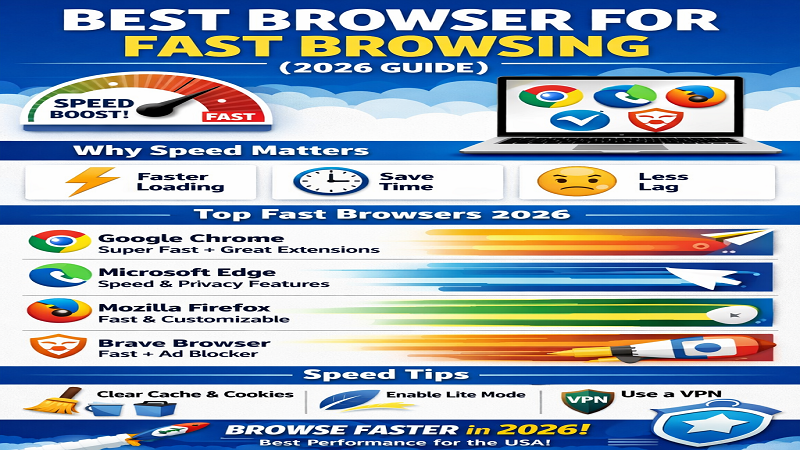
Top Browsers for Fast Browsing in 2026
1. Google Chrome
Pros:
- Fast and reliable with regular updates
- Extensive library of extensions
- Syncs across devices
Cons:
- High RAM usage, especially with multiple tabs
Best For: Users who want an all-around fast and compatible browser
2. Mozilla Firefox
Pros:
- Privacy-focused with strong tracking protection
- Customizable interface
- Moderate RAM usage
Cons:
- Slightly slower than Chrome in some benchmarks
Best For: Users who value privacy and customization
3. Microsoft Edge
Pros:
- Optimized for Windows
- Fast startup and page loading
- Integrated features like PDF reader and Collections
Cons:
- Smaller extension library compared to Chrome
Best For: Windows users who want speed without heavy resource usage
4. Opera Browser
Pros:
- Built-in VPN and ad blocker
- Lightweight and fast
- Battery saver mode for laptops
Cons:
- Smaller extension library
- Less popular, so some websites may not be fully optimized
Best For: Users who want privacy, speed, and low RAM consumption
5. Brave Browser
Pros:
- Extremely fast due to built-in ad-blocking
- Strong privacy features
- Saves data and bandwidth
Cons:
- Some websites may not display properly due to aggressive ad-blocking
Best For: Users who want an ad-free, fast browsing experience
6. Vivaldi Browser
Pros:
- Highly customizable interface
- Efficient memory usage
- Useful features like tab stacking
Cons:
- Steeper learning curve for beginners
- Less popular
Best For: Power users who want full control over their browsing experience
Browser Comparison Table
| Browser | Speed | RAM Usage | Best For | Free/Paid |
|---|---|---|---|---|
| Chrome | Fast | High | All-round | Free |
| Firefox | Medium-Fast | Medium | Privacy | Free |
| Edge | Fast | Medium | Windows users | Free |
| Opera | Fast | Low | Data saving | Free |
| Brave | Very Fast | Low | Ad-free | Free |
| Vivaldi | Fast | Medium | Customization | Free |
Tips to Make Browsing Even Faster
- Clear Cache and Cookies: Regularly clearing cache boosts speed.
- Disable Unnecessary Extensions: Heavy extensions can slow down your browser.
- Enable Hardware Acceleration: Helps with graphics-intensive websites.
- Use Lightweight Browsers for Low-End Devices: Opera or Brave work best on old PCs and smartphones.
- Keep Browser Updated: Latest versions fix bugs and improve performance.
FAQs About Fast Browsing
Q1: Which browser is the fastest for Windows 11?
- Microsoft Edge and Brave are top choices.
Q2: Best browser for online gaming?
- Chrome or Brave — low latency and ad-free experience.
Q3: Is Chrome still the fastest?
- Yes, but high RAM usage makes Edge or Opera better for slower devices.
Q4: Which browser saves the most data?
- Opera and Brave have inbuilt data-saving features.
Conclusion
Choosing the right browser depends on your device and needs:
- All-rounder: Google Chrome
- Privacy & Security: Firefox or Brave
- Windows Optimized: Microsoft Edge
- Low-End Devices: Opera
Remember, fast browsing is not just about the browser itself but also about proper settings, managing extensions, and optimizing cache.
✅ Try multiple browsers to see which one works best for your workflow, and enjoy a lightning-fast browsing experience in 2026!
